

Freight Invoice Reconciliation Software for Better Carrier Cost Control
17 July 2026

Upload, map and reconcile carrier invoices in Cario. Compare estimated freight costs with carrier charges, identify discrepancies and improve freight cost control.
Carrier invoices can be difficult to check when every carrier sends data in a different format. Small differences in freight charges, weights, volumes, fees or taxes can add up across a busy freight operation.
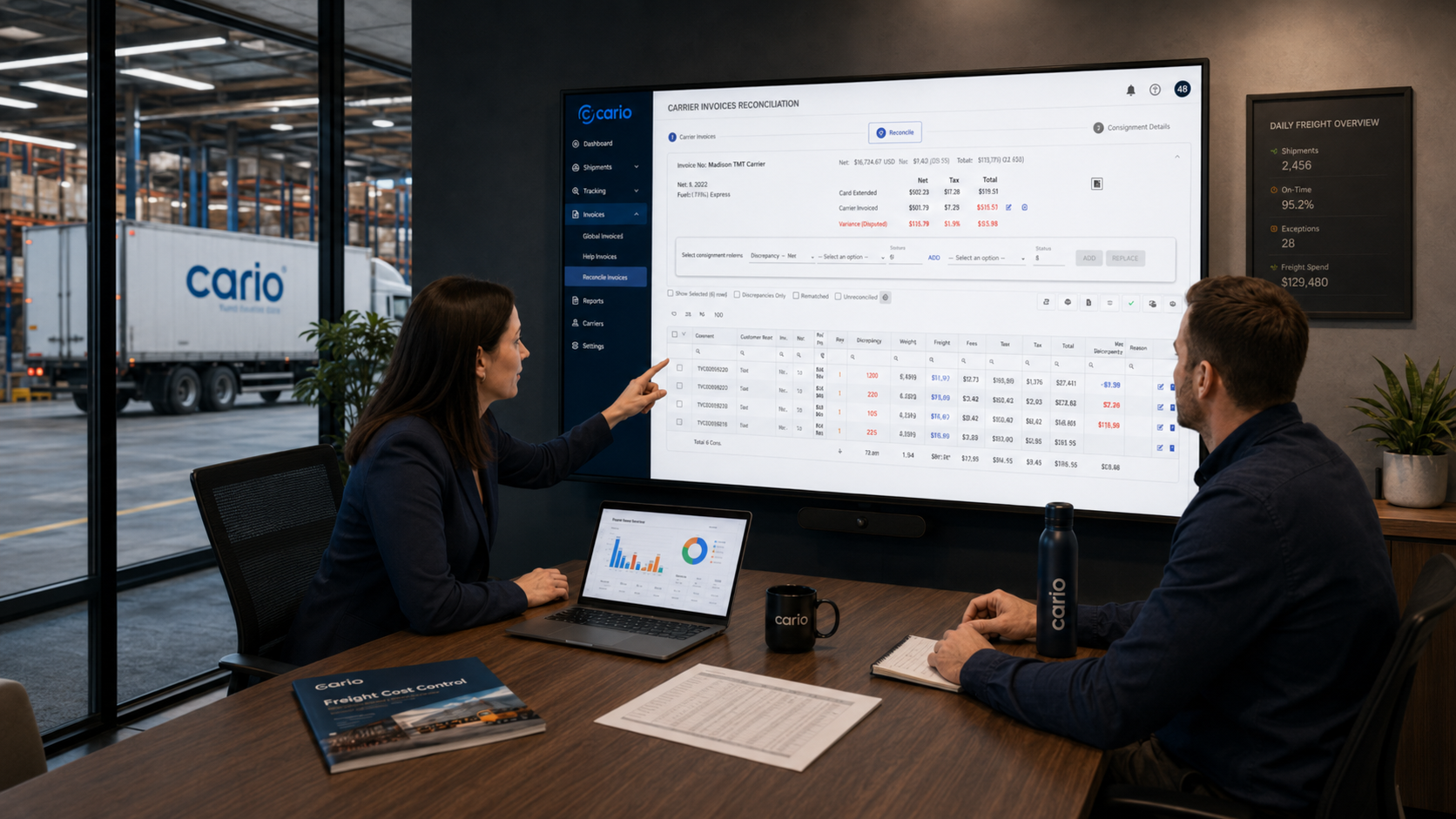
Cario helps finance and logistics teams upload carrier invoice data, map invoice fields and compare carrier charges against estimated shipment costs. This gives your team a clearer way to review discrepancies, manage overcharges and keep freight spend under control.
The Problem This Solves
Freight costs do not always match the amount expected at booking.
A carrier invoice may include changes for weight, cubic volume, freight charges, additional fees, net amounts, GST or total charges. Some changes are valid. Others need review. Without a structured process, finance teams can spend hours checking invoices against consignments, while logistics teams are pulled into manual follow-up.
This creates common issues:
Carrier overcharges can be missed.
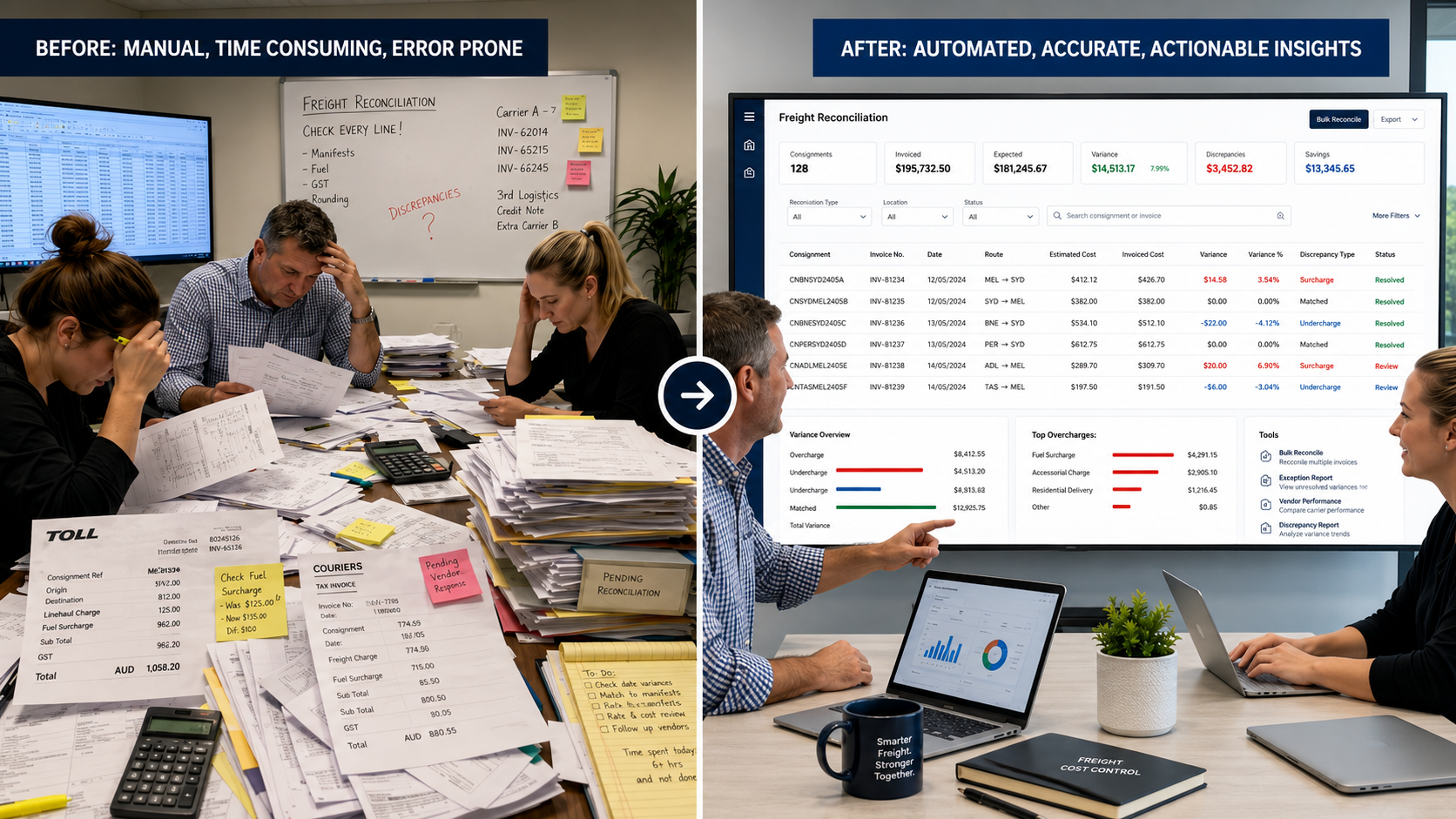
Invoice reviews rely on spreadsheets and manual checking.
Finance has limited visibility into why costs changed.
Logistics teams spend time explaining freight charges after the invoice arrives.
Disputes can be harder to manage because supporting shipment details are spread across systems.
Month-end reporting becomes harder when freight costs are unclear.
For Australian businesses moving freight across multiple carriers, sites and shipment types, invoice reconciliation is more than an accounts task. It is a key part of freight cost control.
How Cario Helps
Cario gives teams a structured way to upload carrier invoices, map invoice data and reconcile charges against consignment records.
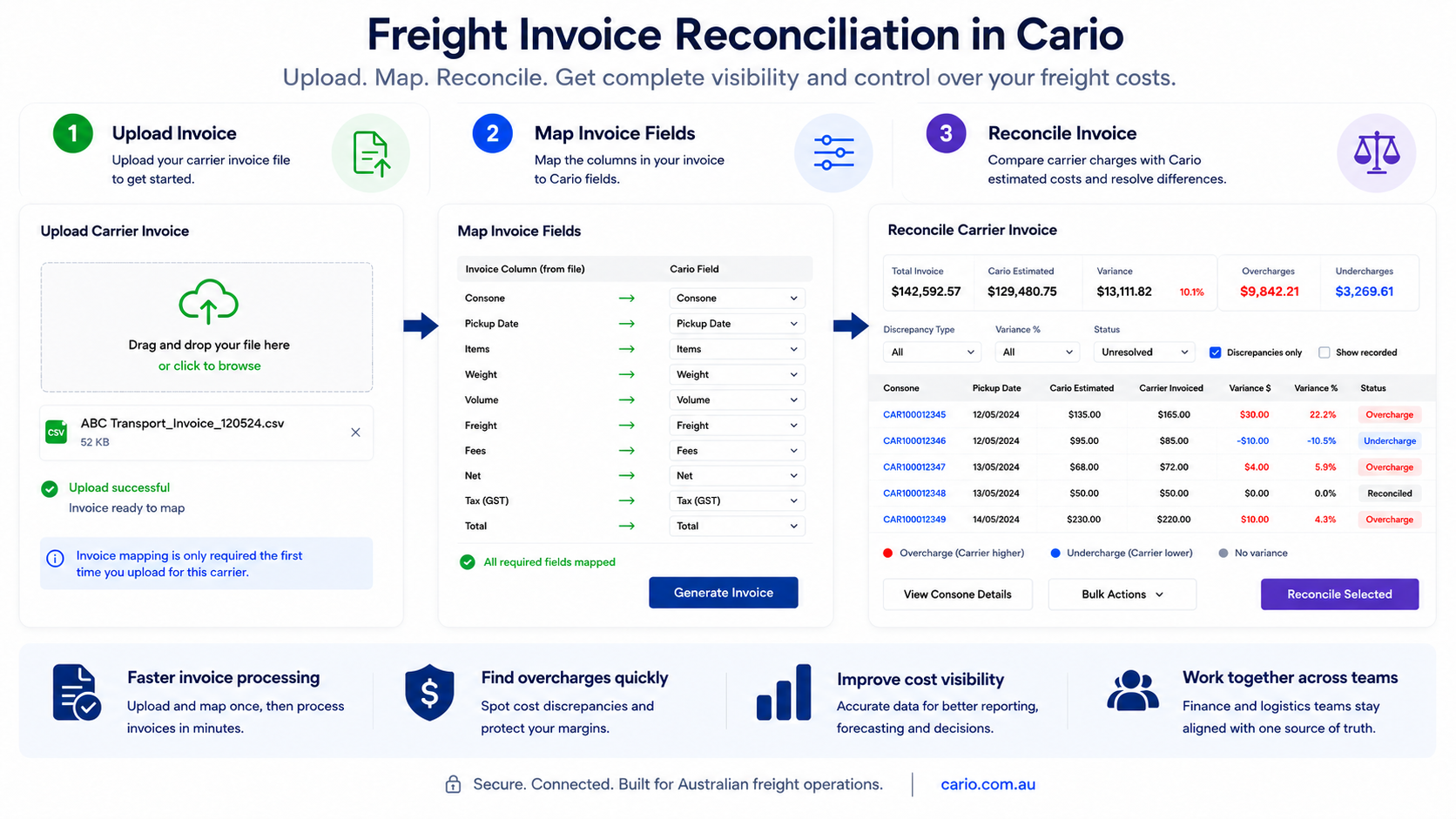
Once invoice data is uploaded, teams can compare estimated freight costs with the carrier’s invoiced costs. Discrepancies are highlighted so finance and logistics can focus on the shipments that need review, rather than checking every line manually.
This helps teams decide whether to accept updated carrier details, approve a cost adjustment or retain the original estimated cost for dispute.
Key Features
Carrier invoice upload
Upload carrier invoice data into Cario so invoice review can happen inside the same freight management environment as the shipment record.
Field mapping by carrier
Map invoice fields such as connote, pickup date, items, weight, volume, freight, fees, net, tax and total, so the invoice data can be read and compared correctly.
Reusable invoice mapping
Set up invoice mapping for a carrier once, then use it for future invoice uploads where the invoice structure remains the same.
Cost comparison view
Compare Cario estimated costs with the carrier’s invoiced costs against each consignment.
Discrepancy highlighting
Highlight overcharges and undercharges so teams can quickly identify which items need attention.
Reconciliation filters
Filter invoice lines by discrepancy type, variance threshold, reconciled status or items with discrepancies only.
Consignment-level review
Open individual consignments to review invoice history and shipment details before deciding what action to take.
Bulk reconciliation actions
Process multiple consignments together when the same reconciliation decision applies across several invoice lines.
Benefits by Role
Finance
Finance teams can review carrier invoices with clearer cost data and fewer manual checks. They can identify overcharges, validate undercharges and improve confidence in freight cost reporting.
Logistics
Logistics teams can see where carrier charges differ from estimated shipment costs. This helps them check whether the change relates to weight, volume, freight fees or other shipment details.
Operations
Operations leaders get a more controlled process for managing freight cost variation. This supports better carrier management and clearer operational reporting.
Accounts Payable
Accounts payable teams can work from mapped invoice data and structured reconciliation views instead of relying only on spreadsheets or manual comparison.
Supply Chain Leaders
Supply chain leaders can use cleaner freight cost data to understand where costs are changing and where carrier performance or charging patterns need review.
How It Works
Cario keeps the invoice reconciliation process structured at a high level:
Upload the carrier invoice data
The team uploads the carrier invoice file into Cario.
Map the invoice fields
Key invoice fields are matched to Cario fields so the platform can read the invoice data correctly.
Generate the invoice record
The invoice details are confirmed, including invoice number, account details, invoice dates, net amount and GST.
Review cost differences
Cario compares estimated shipment costs with the carrier’s invoiced costs.
Filter and prioritise discrepancies
Teams can focus on meaningful differences, such as weight, volume, freight or fee changes.
Take reconciliation action
The team can accept valid carrier updates, approve cost adjustments or retain the original estimated cost where a discrepancy needs dispute.
Reconcile in bulk where suitable
Similar invoice lines can be processed together to reduce repetitive admin.
Who This Is For
This capability is suited to businesses that:
work with multiple freight carriers
process regular carrier invoices
need better control over freight spend
want to reduce manual invoice checking
need finance and logistics teams working from the same shipment data
manage freight at scale across warehouses, branches or distribution centres
want a clearer way to identify carrier overcharges and cost discrepancies
It is especially useful for Australian wholesalers, manufacturers, distributors, retailers and logistics-heavy businesses where freight costs affect margin, customer service and operational performance.
FAQ
What does freight invoice reconciliation mean?
Freight invoice reconciliation is the process of comparing a carrier’s invoiced freight charges against the expected or estimated cost for each shipment. The goal is to identify differences, check whether they are valid and decide what action to take.
Why do carrier invoice costs differ from estimated freight costs?
Costs may change because of updated weight, cubic volume, extra fees, service changes, freight surcharges or other carrier adjustments. Some changes are valid, but others may need review or dispute.
Can Cario help identify carrier overcharges?
Yes. Cario helps compare estimated costs with carrier invoiced costs and highlights discrepancies, so teams can review potential overcharges more easily.
Can teams filter invoice discrepancies?
Yes. Teams can filter by discrepancy type, variance threshold, reconciled status and discrepancy-only views. This helps finance and logistics focus on the invoice lines that need action.
Does invoice mapping need to be done every time?
The internal note says invoice mapping only needs to be done once per carrier during first-time setup. TODO: confirm public wording with the product team before publishing.
What invoice fields can be mapped?
Examples from the support note include connote, pickup date, items, weight, volume, freight, fees, net, tax and total. TODO: confirm the full public list of available fields.
Can teams review individual consignments before reconciling?
Yes. Teams can review consignment details and invoice history before deciding whether to accept carrier updates, approve cost changes or retain the original estimated charge.
Can multiple invoice lines be reconciled at once?
Yes. The support note describes bulk reconciliation for cases where multiple consignments need the same action.
Is this only useful for finance teams?
No. Finance teams benefit from cleaner invoice review, but logistics and operations teams also benefit because they can see where freight costs changed and why.
What happens next if we want to see this in Cario?
Book a demo with Cario. Our team can walk through how carrier invoice upload, mapping and reconciliation can support your freight cost control process.
See how Cario helps finance and logistics teams review carrier invoices, identify freight cost discrepancies and manage reconciliation in one connected freight platform.