

Did You Know? 3 Cario Features You May Have Missed
19 June 2026

Welcome to our first Cario Did You Know? update, where we highlight quick features that can help you get more out of Cario in your day-to-day freight operations.
This quarter, we are spotlighting three simple but useful features that can help improve visibility, communication, and quoting efficiency.
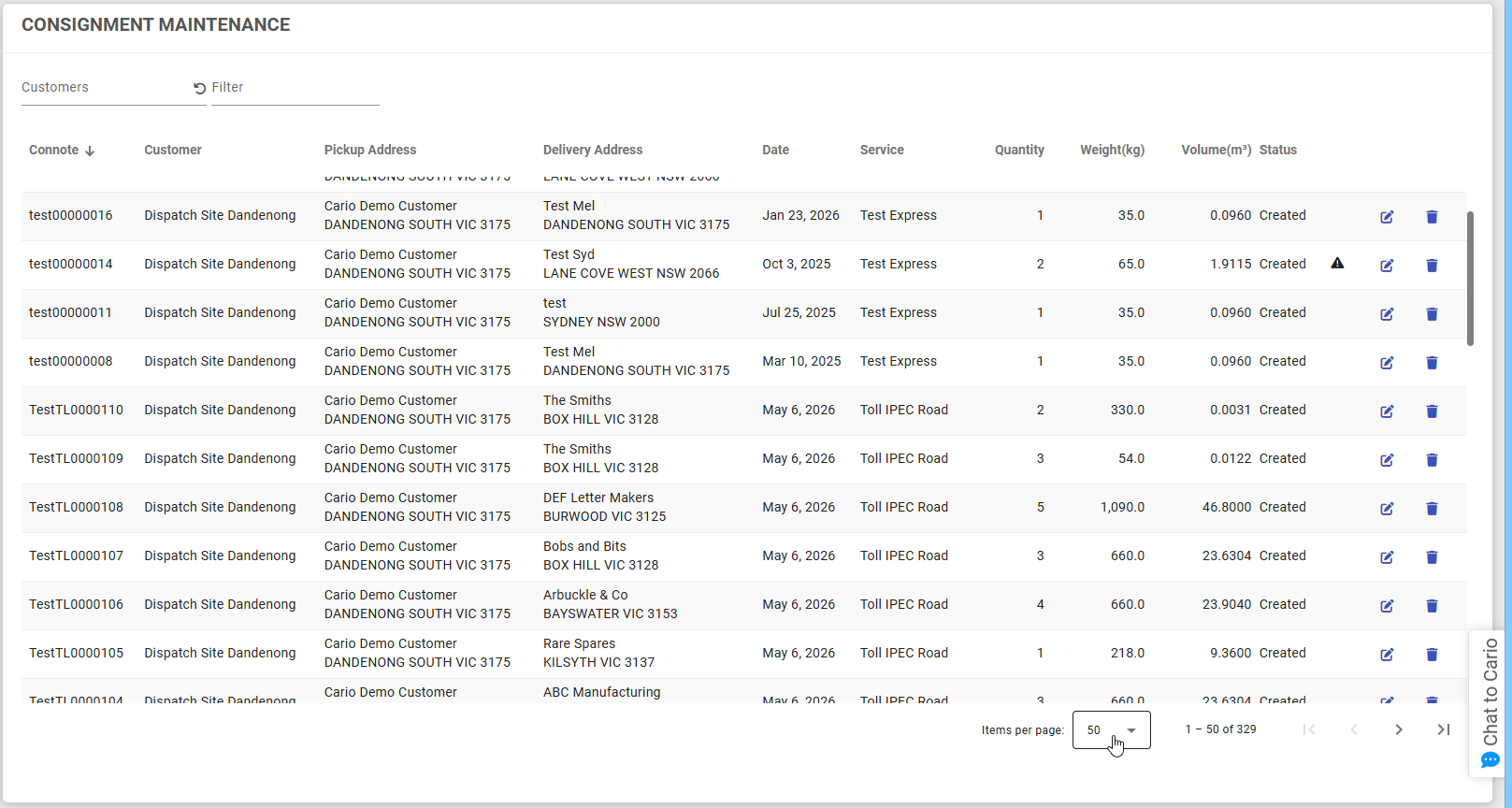
1. Did you know you can control how many entries appear in your Cario list views?
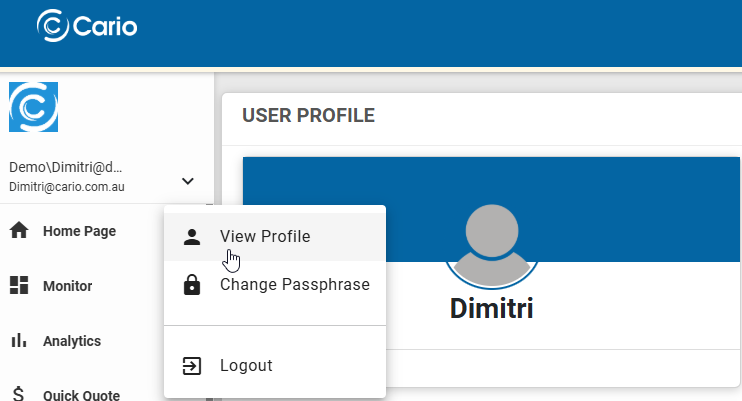
If you prefer seeing more records on screen, you can adjust your default table page size from your User Profile.
To update this:
- Click the dropdown arrow next to your user profile.
- Select View Profile.
- Go to Configurations.
- Update Default Table Page Size.
- Click Save.
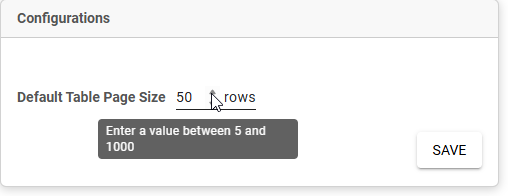
This gives you more control over how much information you see when working through list views in Cario.
2. Did you know Cario can display important announcements directly inside the platform?
With Banner Messages, important updates, reminders, operational notices, or announcements can be displayed directly in Cario, helping users see key information while they are already working in the system.
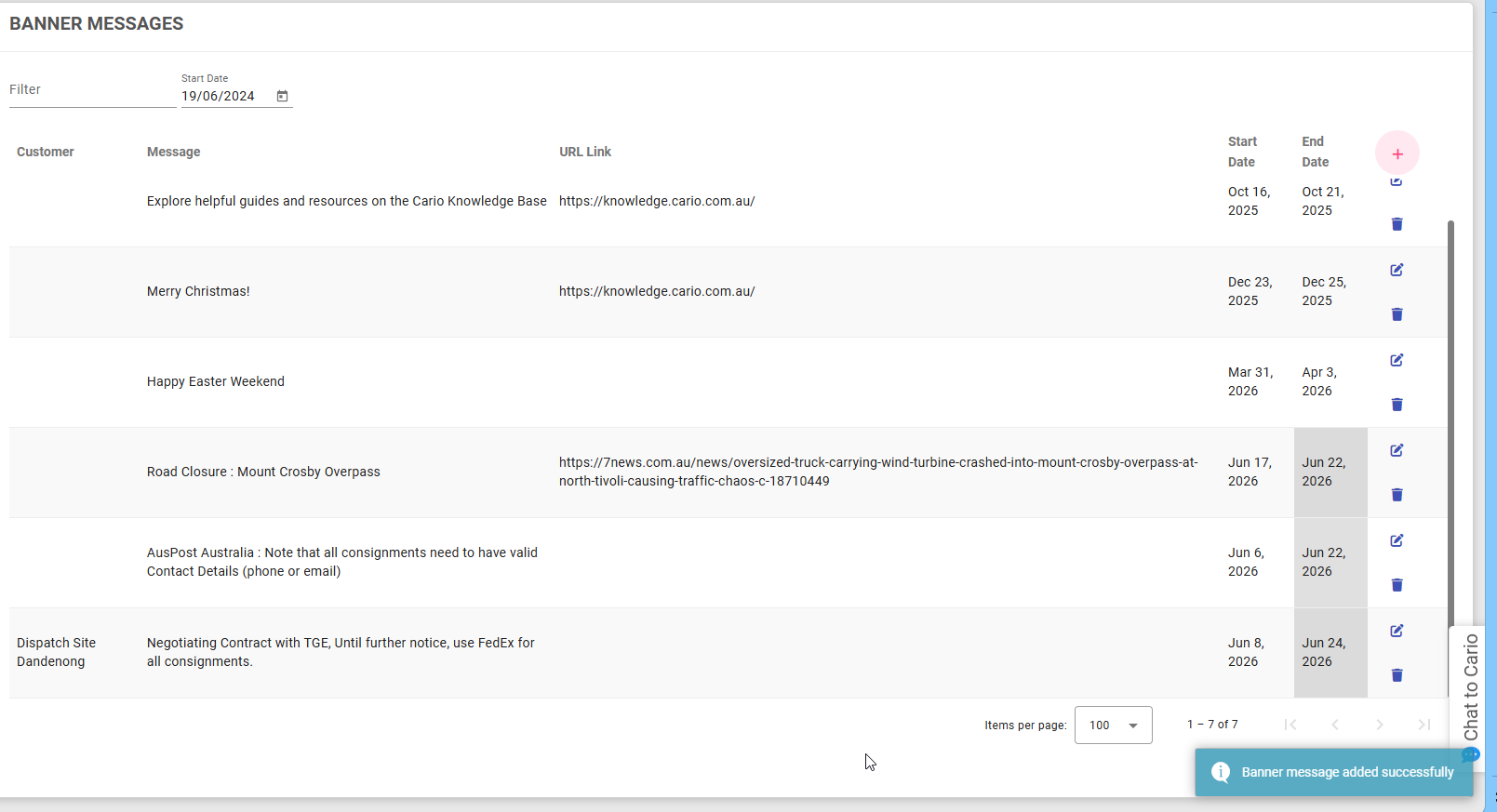
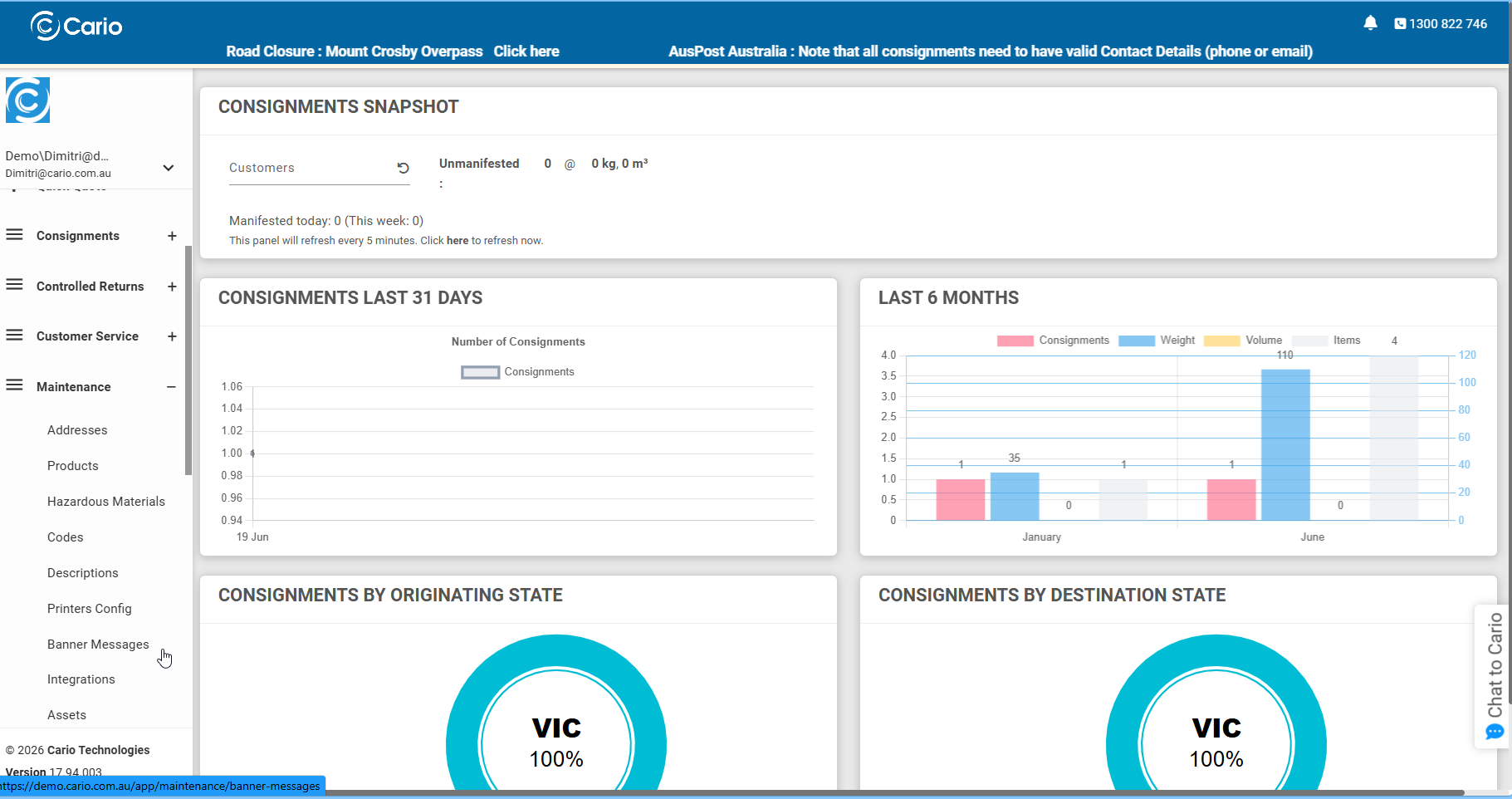
This is a great way to keep teams informed about process changes, carrier updates, planned maintenance, urgent reminders, or internal operational messages.
Learn more here:
https://knowledge.cario.com.au/maintenance/banner-messages
3. Did you know you can save and retrieve quotes in Cario?
Most Cario users are familiar with the Quick Quote feature, but did you know you can also save quotes and retrieve them later?

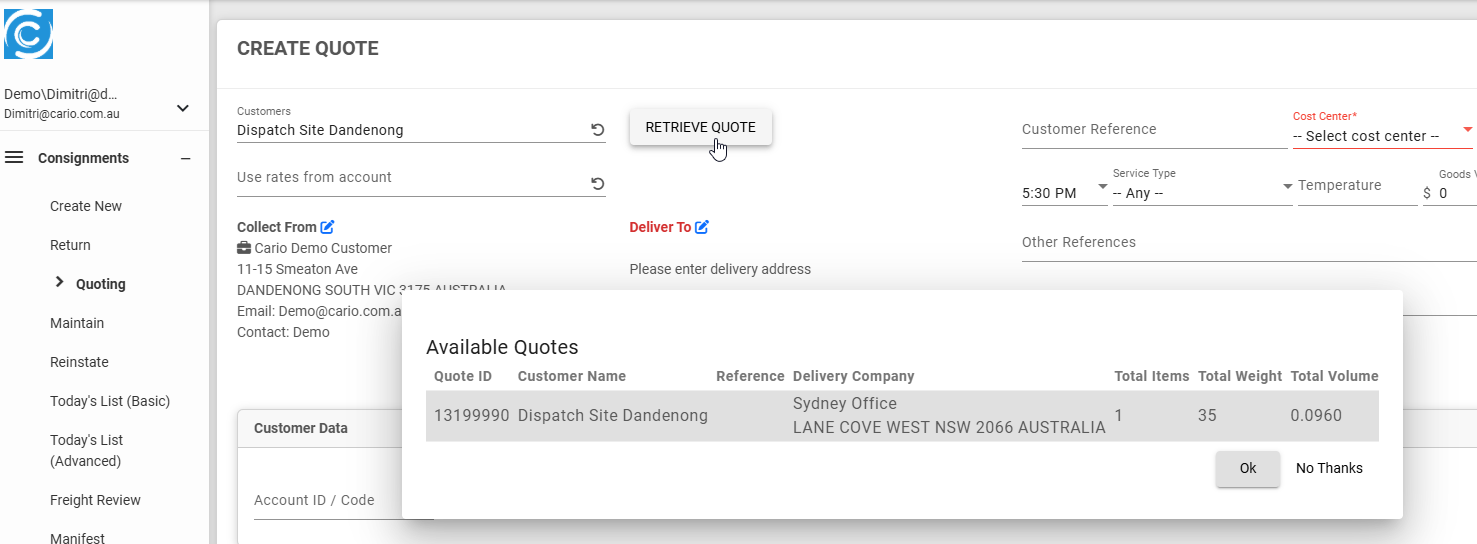
This is useful when you need to compare freight options, review pricing, come back to a quote later, or confirm details before creating the final consignment.
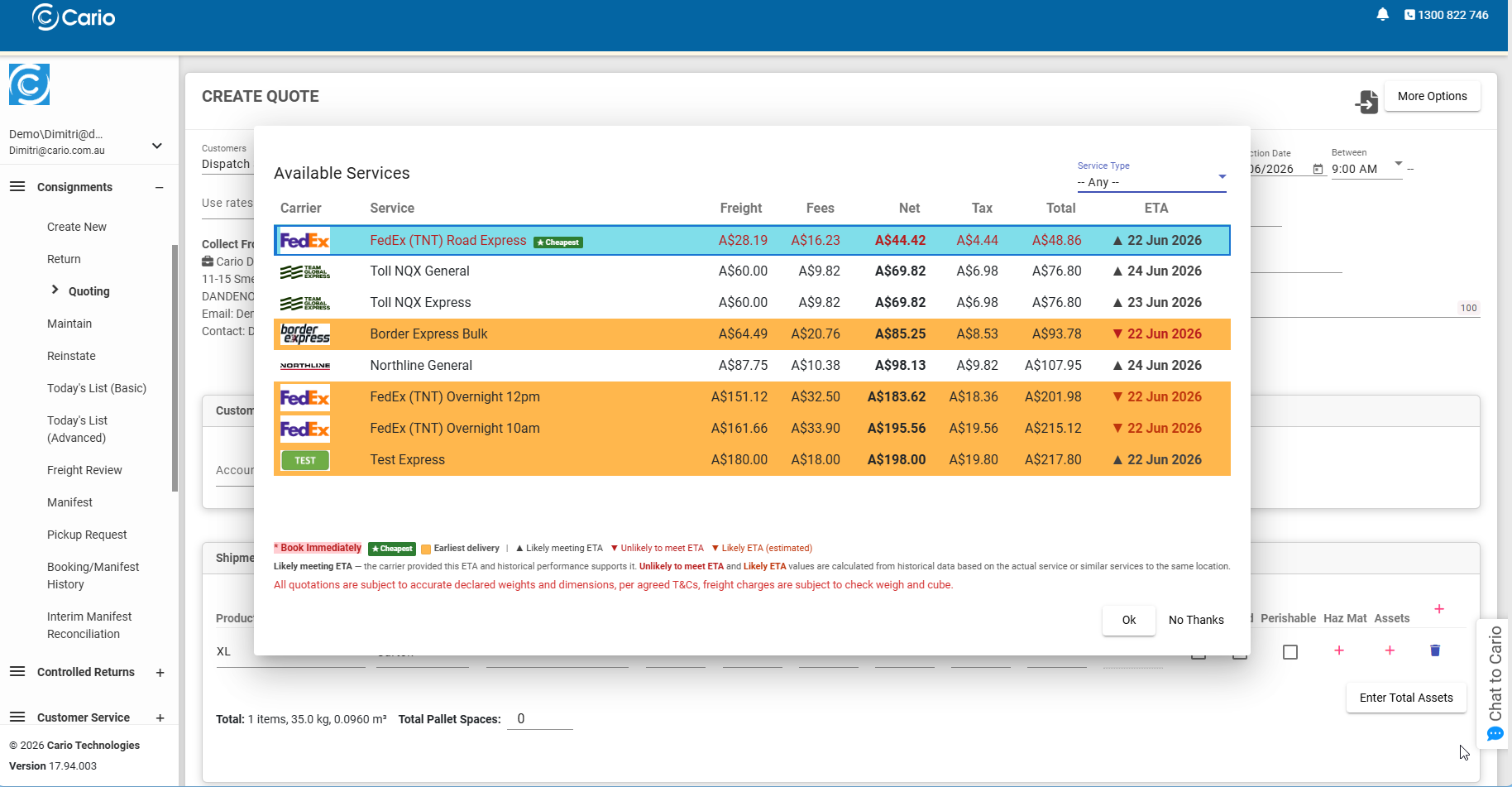
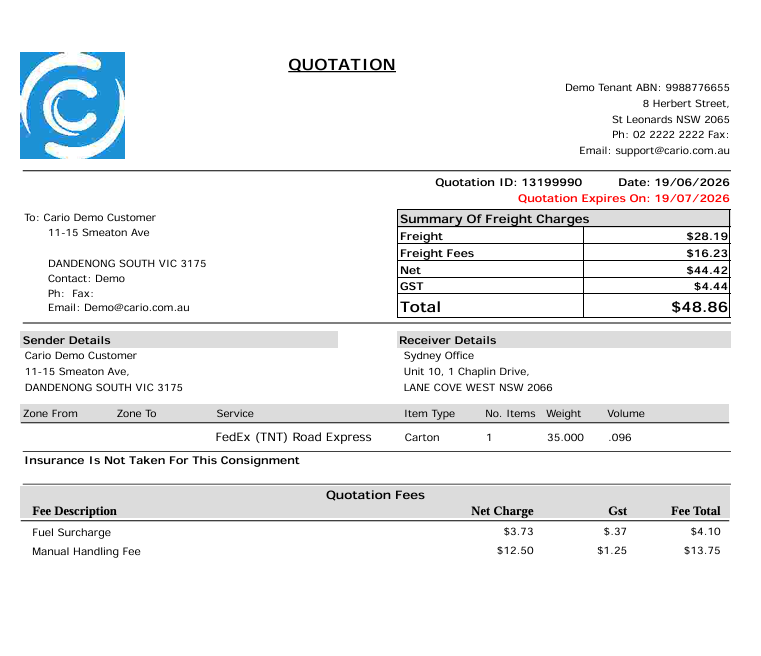
Note : Quotes will expire in 30 days and will be recalculated after 30 days to ensure the price is still current
Learn how to save a quote here:
https://knowledge.cario.com.au/consignments/quoting/saving-quote
Learn how to retrieve a saved quote here:
https://knowledge.cario.com.au/consignments/quoting/retrieve-quote