

Automated Shipment Notifications for Freight | Cario
28 July 2026

Send automated freight updates by email or SMS. Keep customers, receivers and internal teams informed across pickup, transit and delivery events.
Customers should not need to chase your team for basic delivery updates.
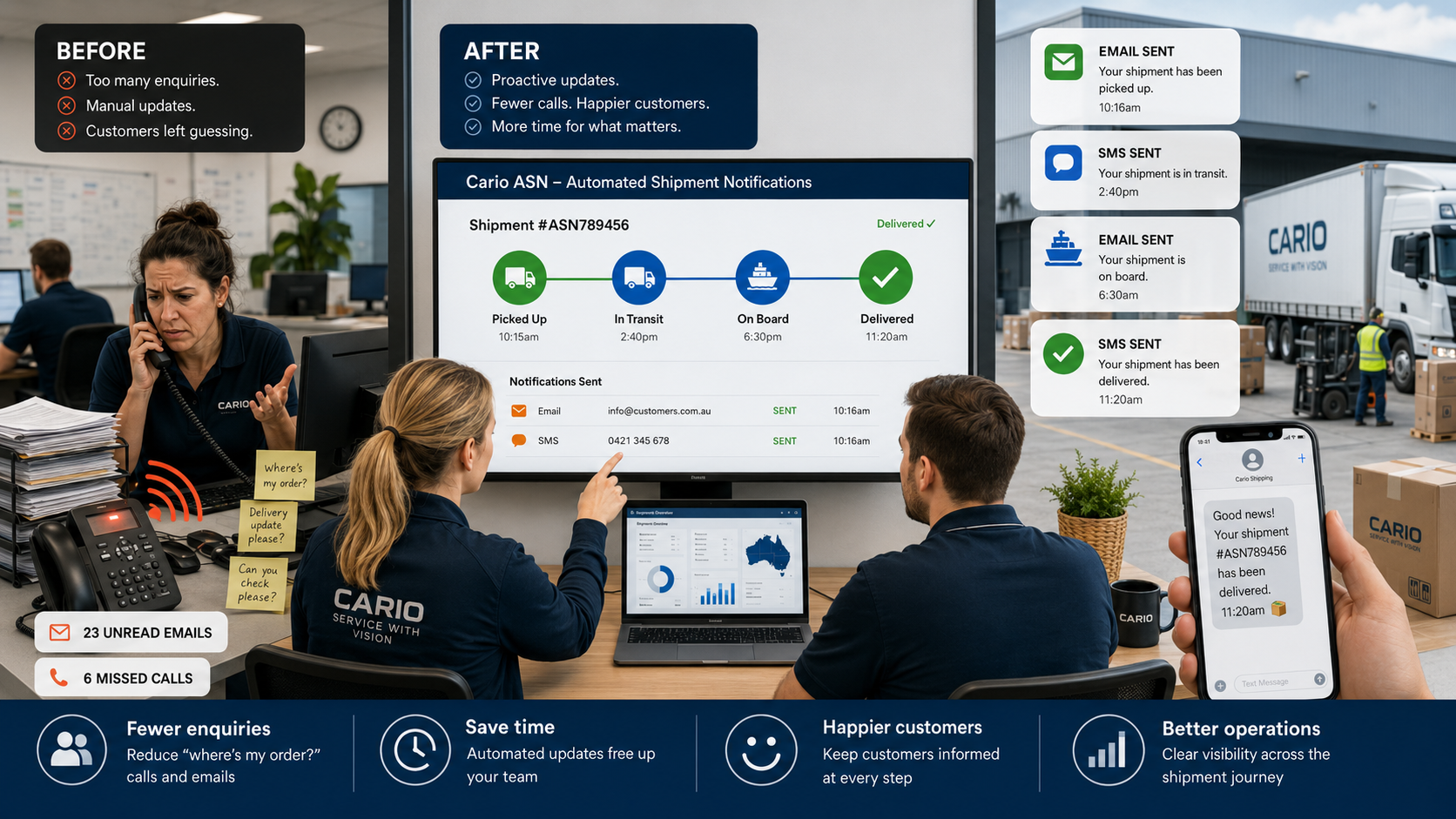
Cario’s automated shipment notifications help logistics, operations and customer service teams send freight updates by email or SMS at key points in the delivery journey. Teams can keep receivers informed when freight is picked up, in transit, onboard for delivery or delivered.
For businesses managing high freight volumes, multiple carriers or multiple dispatch sites, this gives customers clearer communication and gives internal teams fewer manual tracking tasks.
The Problem This Solves
Delivery communication often breaks down after freight leaves the warehouse.
A customer places an order. The warehouse dispatches it. A carrier collects it. Then customer service starts fielding calls:
“Has it left yet?”
“Is it on the truck?”
“Can you send me proof it was delivered?”
“Why didn’t anyone tell us it was arriving today?”
For Segment C, this is the daily pain. Customer service teams get pulled into carrier portals, emails and phone calls instead of helping customers with higher-value work. Operations teams lose time chasing updates. Warehouse teams get interrupted. Customers feel left in the dark.
For Segment A, the problem grows across sites. One warehouse may communicate well, while another relies on manual emails. Different customer accounts may need different branding, senders or notification rules.
For Segment B, the issue shows up as hidden cost. Every avoidable tracking call, manual update and missed delivery communication adds labour that is hard to measure but easy to feel.
How Cario Helps
Cario allows businesses to automate shipment notifications across the freight lifecycle.
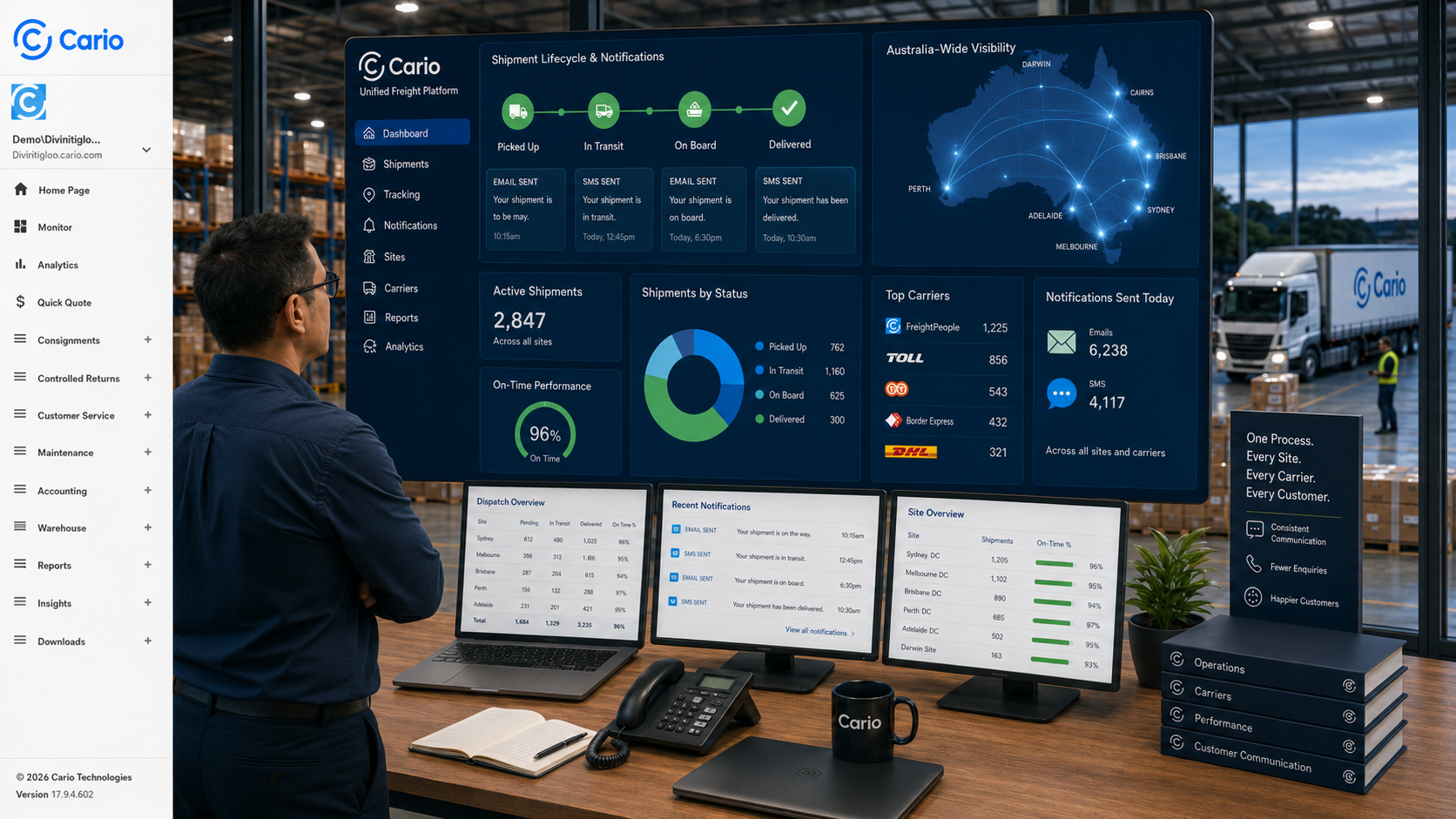
Instead of relying on staff to manually send updates, teams can configure email and SMS notifications that trigger when selected shipment events occur. Notifications can be set at customer or site level, which helps businesses manage different sender details, branding and communication rules for different accounts.
This supports clearer delivery communication without asking customer service, dispatch or warehouse teams to manually update every receiver.
Cario is built for Australian freight operations where businesses often manage multiple carriers, freight types, delivery locations and internal teams from one connected platform.
Key Features
Automated email and SMS updates
Send shipment updates through email and/or SMS so receivers can stay informed without needing to call your team.
Customer or site-level notification settings
Set notification rules for different customer accounts or dispatch sites. This helps businesses manage communication across multi-site operations.
Branded sender details
Control the sender name, email address and customer/site identity that appears on notifications. This helps receivers recognise who the message is from.
Optional logo branding
Add customer or business branding to email notifications, so delivery communication feels consistent with the customer experience.
Shipment event triggers
Choose which freight milestones should trigger updates, such as:
Picked up
In transit
On board
Delivered
For most businesses, picked up and delivered are a good starting point. They provide useful visibility without sending too many messages.
Template-based communication
Use email and SMS templates to keep messages consistent, clear and suitable for the receiver.
Support for Australian freight communication needs
SMS settings should be reviewed for Australian sender, cost and compliance requirements before use.
Benefits by Role
Customer Service Managers
Give the team a faster way to answer delivery questions. Automated updates can reduce the need for manual tracking checks and help customers get basic shipment information before they call.
Operations Managers
Keep freight communication more consistent across teams, sites and customer accounts. This helps reduce handover gaps between dispatch, warehouse, carriers and customer-facing teams.
Logistics Managers
Control when shipment updates are sent and how they appear to receivers. This supports a more consistent process across multiple carriers and delivery events.
Warehouse and Dispatch Teams
Reduce interruptions from internal teams asking for shipment status updates. When delivery events trigger messages automatically, warehouse teams can stay focused on getting freight out.
Finance Leaders
Reduce hidden admin caused by repeated delivery enquiries, manual follow-ups and internal rework. This supports better team efficiency and cleaner operational processes.
IT Stakeholders
Support controlled communication through structured templates, sender details and customer-level settings instead of ad hoc manual messages.
How It Works
Cario’s automated shipment notifications work by connecting shipment events to pre-set communication rules.
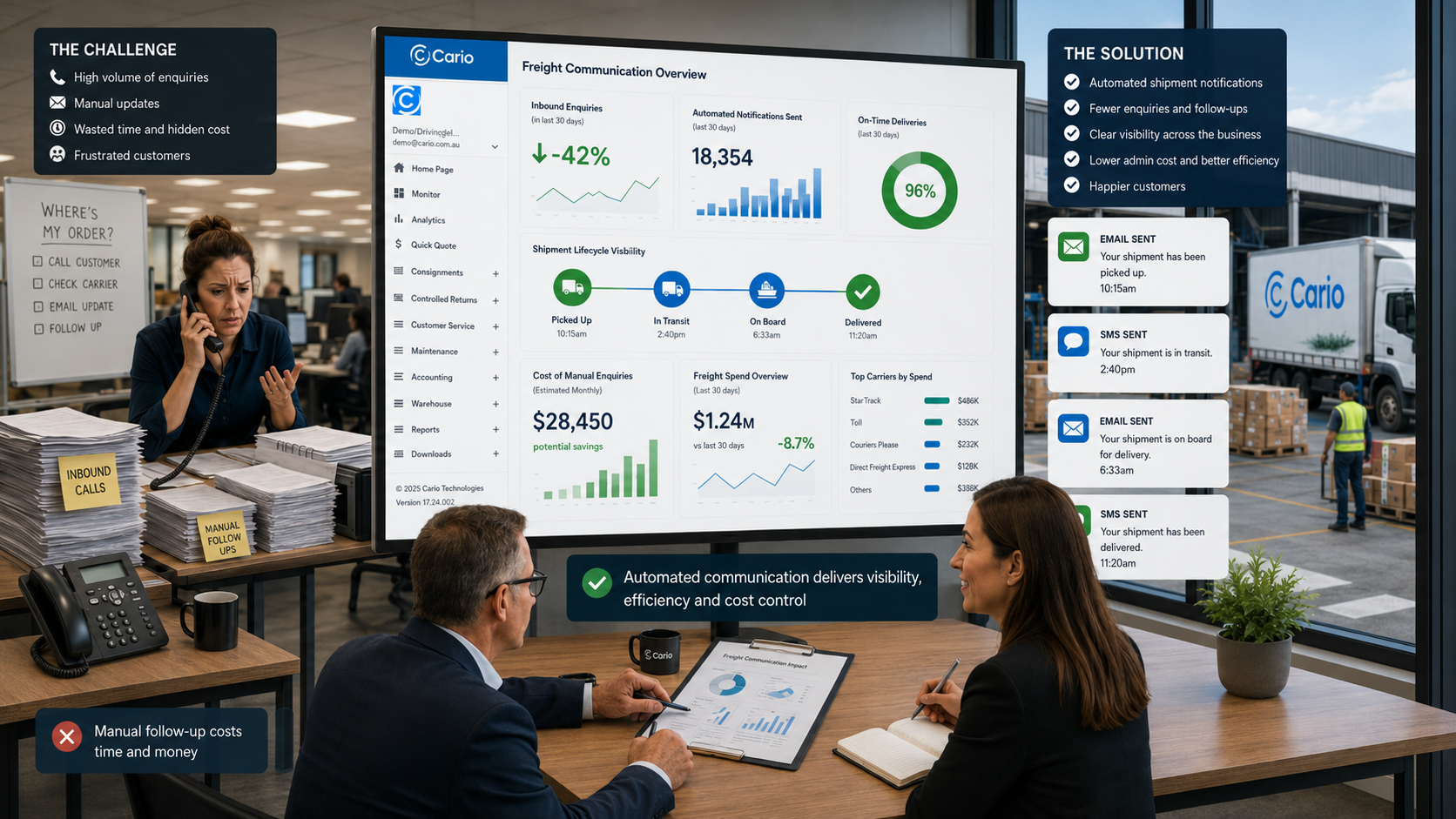
At a high level:
The business selects the customer or site that needs notifications.
Sender details, branding and message templates are set.
The team chooses which shipment events should trigger updates.
ASN is enabled for that customer or site.
Cario sends notifications when the selected freight events occur.
This keeps the public-facing process simple: the right people receive the right update at the right point in the delivery journey.
Who This Is For
This capability is best suited to businesses that:
manage high volumes of freight or customer deliveries
receive frequent “where’s my order?” calls
ship across multiple carriers or dispatch locations
need more consistent delivery communication
want branded customer-facing freight updates
support B2B customers who expect clear delivery information
need internal stakeholders to stay informed without manual follow-up
It is especially relevant for wholesale, distribution, retail, manufacturing, FMCG and logistics operations where delivery communication affects customer experience.
FAQ
What are automated shipment notifications?
Automated shipment notifications are email or SMS updates that are sent when a freight event occurs, such as pickup, transit or delivery.
What problem do shipment notifications solve?
They reduce the need for customers and internal teams to chase shipment updates manually. This helps customer service teams spend less time checking delivery status across carriers.
Can notifications be sent by SMS and email?
Yes. The internal note supports both email and SMS notification options. SMS setup should be reviewed for cost and Australian compliance requirements.
Can notifications be branded?
Yes. The note supports sender details and optional logo branding for email notifications. This helps businesses send delivery updates that are easier for receivers to recognise.
Can different customers or sites have different notification settings?
Yes. ASN settings are configured at customer or site level, which supports different branding, sender details and notification rules.
Which shipment events can trigger notifications?
The note lists picked up, in transit, on board and delivered as available trigger points.
Should every shipment event trigger a notification?
Not always. Too many updates can create notification fatigue. A practical starting point is picked up and delivered, then adjust based on customer needs.
Does this replace freight tracking?
No. It supports freight tracking by pushing key updates to customers and stakeholders. Tracking still matters for teams that need full delivery visibility and proof of delivery.
Who benefits most from automated shipment notifications?
Customer service and operations teams benefit most day to day. Logistics teams benefit from more consistent communication. Finance teams benefit when manual follow-up and rework reduce.
What information is needed before setup?
The business needs the right customer or site, sender details, email and/or SMS templates, and valid receiver contact details on consignments.