

Freight Cost Centre Tracking for Better Spend Control | Cario
28 July 2026

Assign freight costs to the right department, project or site with Cost Centres in Cario. Improve freight reporting, reconciliation and cost visibility.
Freight spend should not become a guessing game at month-end.
When every consignment needs a cost centre before it is booked, finance gets cleaner data, logistics gets a consistent process, and operations can see which departments, sites or projects are driving freight activity.
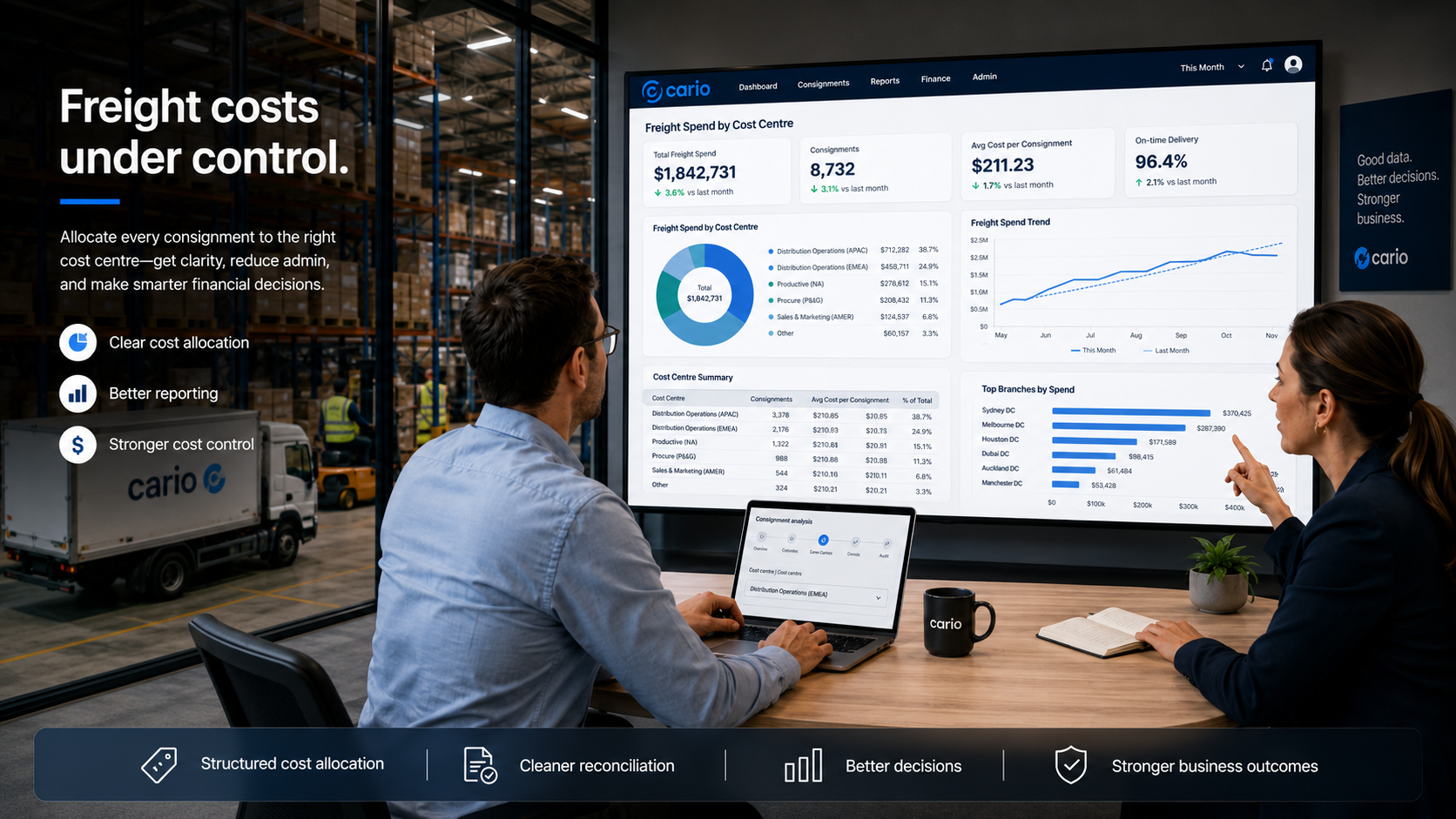
Cario helps teams assign freight costs at the point of consignment creation, so spend can be tracked, exported and reviewed with less manual clean-up later.
The Problem This Solves
For many Australian freight operations, the cost problem does not start with the carrier invoice.
It starts earlier.
A warehouse team books a shipment for a customer order.
A branch sends urgent stock to another site.
A project team requests a special delivery.
A customer service team organises a replacement shipment.
The freight cost is real. But by the time the invoice lands, finance may not have a clear answer to a simple question:
Who should this freight cost belong to?
That creates pressure across the business:
Finance teams spend time cleaning up cost data.
Logistics teams get asked to explain historic bookings.
Operations leaders cannot easily compare spend by site, team or function.
Customer service teams may book freight without consistent cost attribution.
Month-end reporting becomes harder than it needs to be.
Cost Centres in Cario help fix that at the source.
How Cario Helps
Cario allows organisations to assign a Cost Centre to each consignment.
A Cost Centre can represent a department, function, project, branch, warehouse, operational unit or other internal reporting category. Once enabled, the Cost Centre field becomes mandatory during consignment creation.
That means freight cost attribution happens before the consignment moves, not weeks later when finance is trying to reconcile invoices.
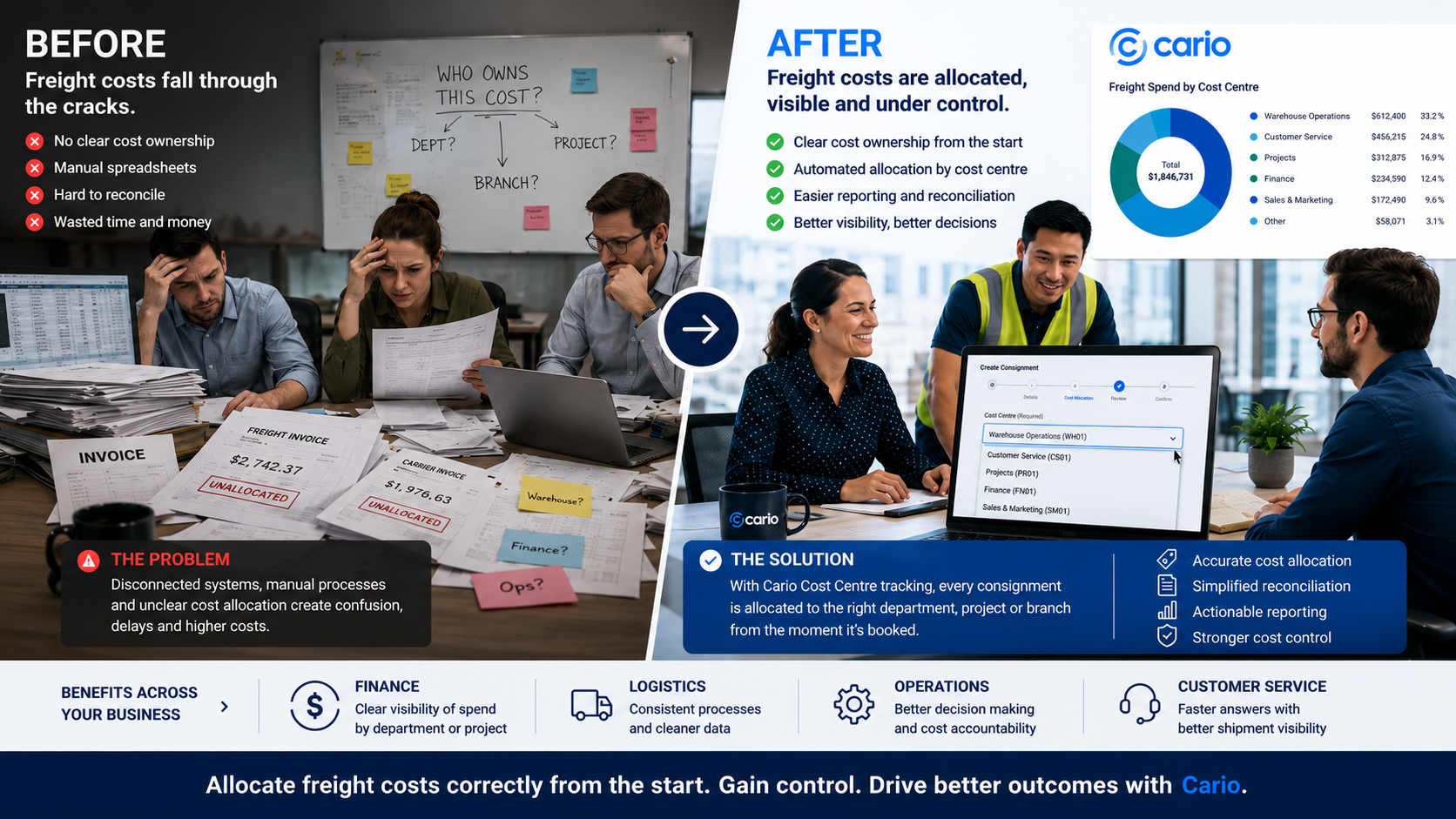
This gives teams a cleaner link between freight activity and business reporting.
Key Features
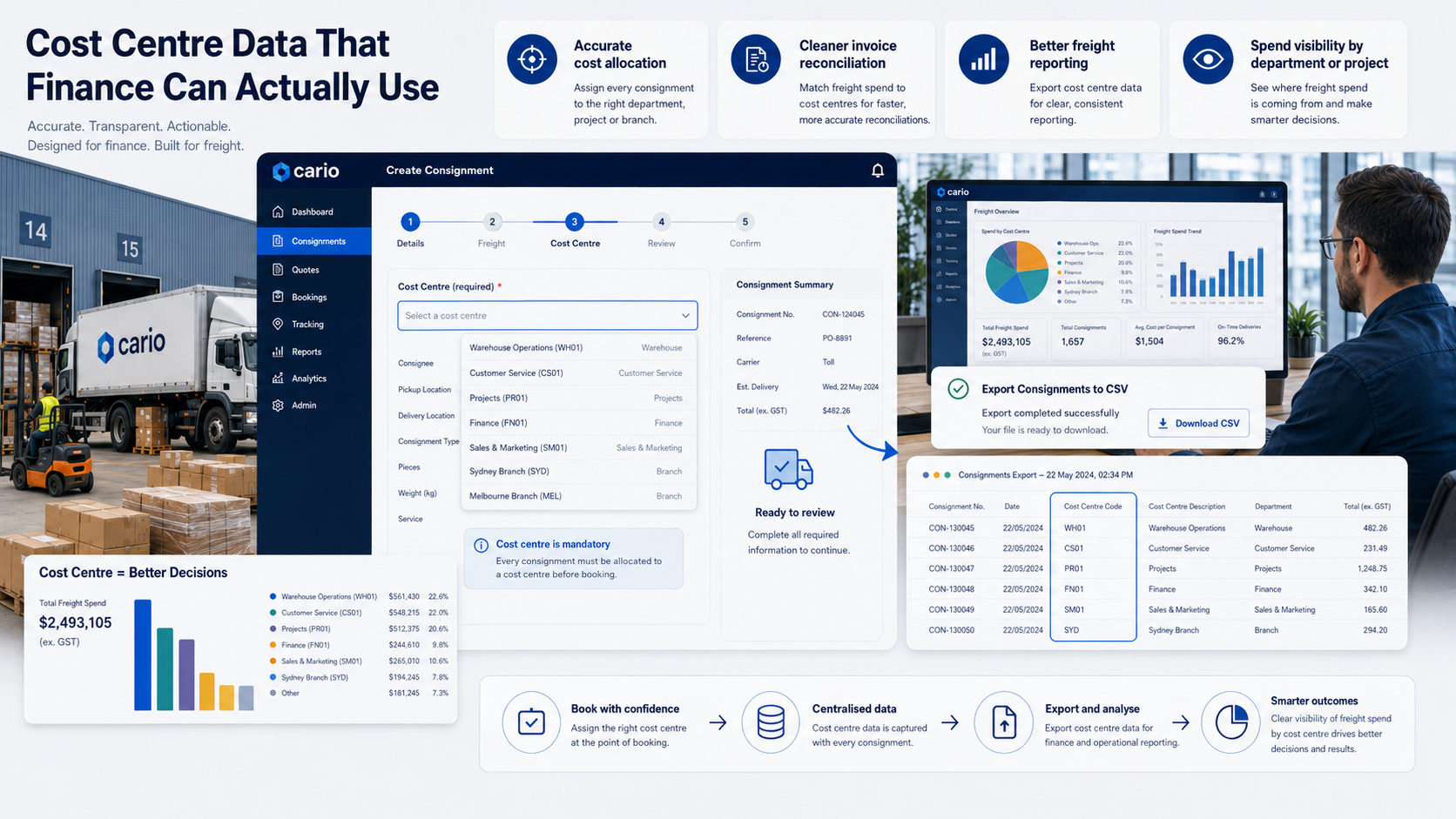
Mandatory Cost Centre selection
Require users to select a Cost Centre when creating a consignment, helping reduce missed or inconsistent cost attribution.
Customer-specific Cost Centres
Set Cost Centres based on the customer or dispatch structure, so different parts of the operation can use relevant finance categories.
Simple code and description structure
Use clear codes such as OPS, WH01, FIN or project-based labels, supported by descriptions that make reporting easier to read.
Included in consignment exports
Cost Centre values appear in exported consignment data, supporting finance review, internal reporting and reconciliation.
Historical consignment protection
Removing a Cost Centre does not affect historical consignments, helping preserve past reporting data.
Consistent freight cost attribution
Give users the same required field during booking, so teams apply cost categories more consistently.
Benefits by Role
CFOs and Finance Leaders
Cost Centres help finance teams connect freight spend to the right area of the business. This supports cleaner reporting, easier reconciliation and better visibility into which departments, projects or functions are generating freight costs.
Finance outcome: Less manual clean-up and clearer freight spend allocation.
Logistics Managers
Logistics teams can apply cost attribution as part of the normal booking flow. This reduces follow-up from finance and helps freight activity carry useful reporting data from the start.
Logistics outcome: Cleaner booking data and fewer questions after the shipment has moved.
Operations Managers
Operations leaders can review freight activity by business area, site or operational function. This makes it easier to see where freight demand is coming from and where process changes may be needed.
Operations outcome: Better visibility across sites, teams and cost drivers.
Customer Service Teams
Customer service teams can book consignments with the correct Cost Centre attached, helping replacement orders, urgent shipments or customer-specific freight movements stay accountable.
Customer service outcome: Faster booking with clearer internal ownership.
IT and Systems Teams
Cost Centres create a structured field that supports reporting and export use cases. This gives internal systems and data teams cleaner freight information to work with.
IT outcome: Better structured freight data for reporting and downstream processes.
How It Works
Cario lets authorised teams create and manage Cost Centres inside the platform.
Each Cost Centre has a code and can include a description. Once active, it becomes available when a user creates a consignment. If Cost Centre selection is enabled as mandatory, the user must choose one before the consignment can be completed.
The selected Cost Centre then stays attached to the consignment and appears in exported consignment data.
At a high level, the workflow is:
The business defines its Cost Centres.
Cario makes those Cost Centres available during consignment creation.
Users select the correct Cost Centre when booking freight.
The Cost Centre is stored against the consignment.
Finance and operations teams can use exported data for reporting and reconciliation.
Who This Is For
Cost Centre tracking is useful for businesses that need tighter control over freight spend across multiple teams, sites or operating units.
It is especially relevant for:
Multi-site distributors
Warehousing and logistics operations
Retail and wholesale businesses
Manufacturers with project, department or branch-based freight costs
Businesses with finance teams reconciling carrier invoices
Operations teams that need clearer freight reporting
Organisations using consignment exports for internal reporting
This is a strong fit where freight is booked by multiple people across the business, but finance still needs clean cost ownership at the end of the month.
FAQ
What is a Cost Centre in Cario?
A Cost Centre is a reporting category used to assign freight activity to a department, function, project, site or operational unit. It helps teams track which part of the business a consignment relates to.
Why make Cost Centre selection mandatory?
Mandatory selection helps stop consignments from being booked without cost attribution. This gives finance and operations cleaner data for reporting and reconciliation.
Can Cost Centres help with freight invoice reconciliation?
Yes. Cost Centre values are included in exported consignment data, which can support invoice review and internal cost checks.
Are Cost Centres customer-specific?
Yes. Based on the internal note, Cost Centres are customer-specific.
Can Cost Centres be used for departments or projects?
Yes. The note supports categorising freight spend by department, function, project or operational unit.
What happens if a Cost Centre is deleted?
Deleting a Cost Centre does not affect historical consignments, based on the supplied support note.
Can Cost Centre data be exported?
Yes. Cost Centre values are included in consignment data exports.
Does this replace invoice reconciliation?
No. Cost Centres support cleaner cost allocation, but they do not replace the wider invoice reconciliation process. They make the data behind reconciliation more useful.
Can Cost Centres connect with ERP or finance systems?
Yes, Cost Centre values can be passed directly into ERP, finance or reporting systems for this use case.